



Good relationships.
Less to remember.
Remember the people you meet, keep the details that matter, and follow through with the help of your personal relationship manager.

Life is a list
building exercise.
Family. Friends. Clients. Collaborators. The person you have not met yet. Your personal relationship manager helps you care for the whole picture.
Remember why
you wanted to
stay in touch.
You met Alex at a community event. You save that Alex is exploring a workshop, prefers an afternoon conversation and offered to review your outline.
The relationship view brings those details together with the saved task and interaction journal. Before the next meeting, you can review the context without rebuilding it from scattered notes.
Explore relationship memory ↗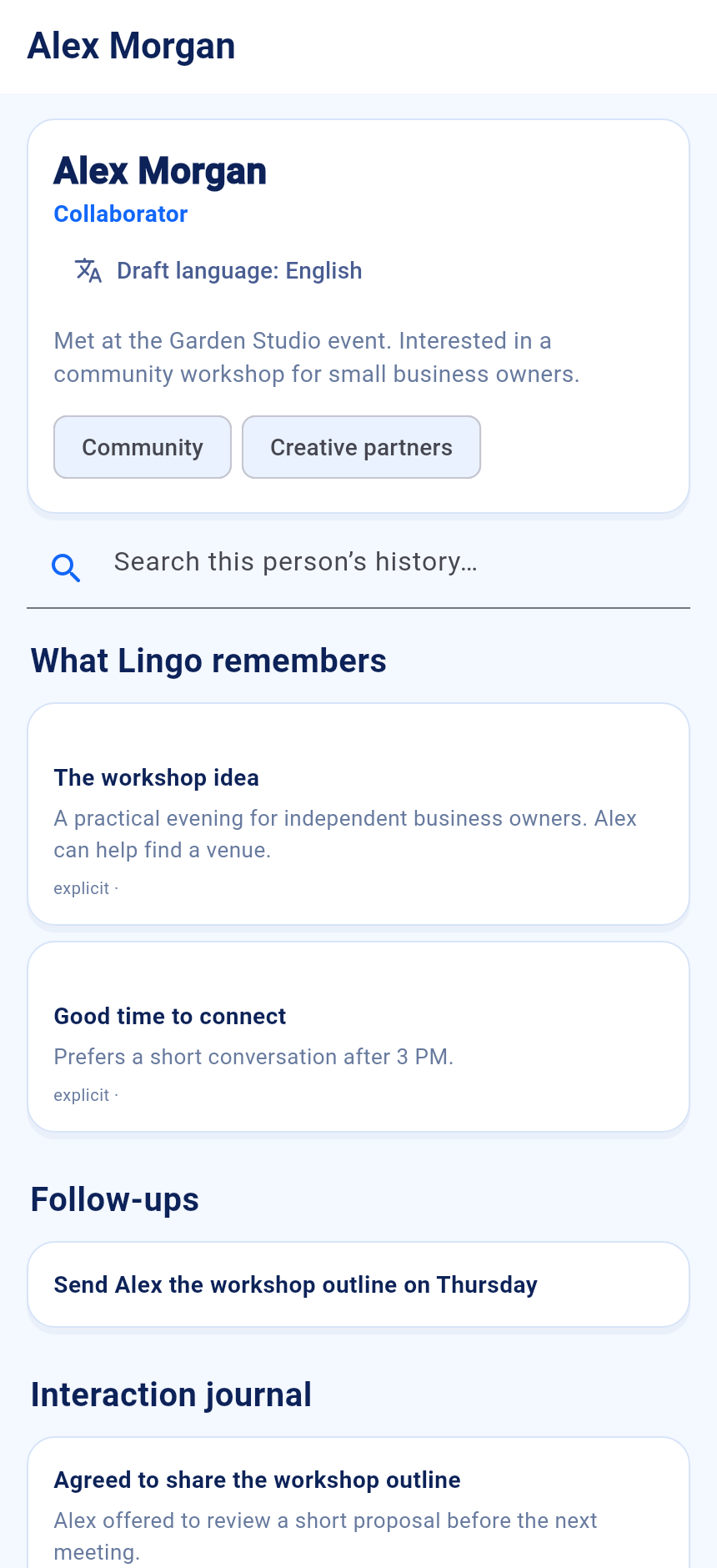

An invitation can start with a photograph.
A relationship becomes real when you make time for it. Talk through a meeting with Lingo, find a place in your schedule and keep the details together as plans change.
Change the time, location or guest list as needed. For an ambiguous event, clarify which meeting you mean before changing it.
See what you can do ↗
Keep the attachment with the conversation.
Your inbox is full of relationships, decisions and opportunities. Ask Lingo to find the message that matters, explain it and help you respond with the right context.
Make it warmer, shorter or more direct. When the recipient and text are right, ask to send through your connected Gmail.
See what you can do ↗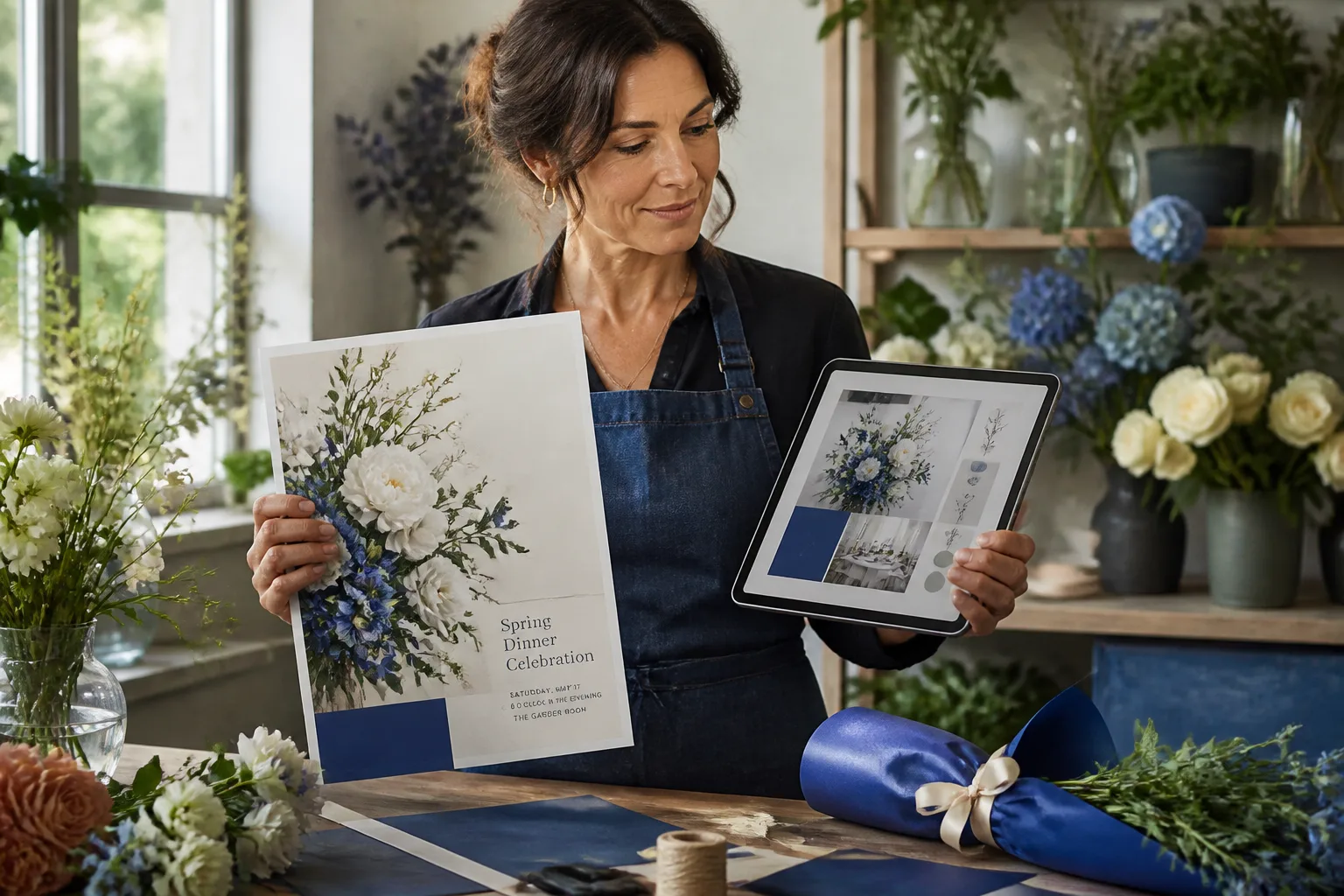
Your reference can stay part of the conversation.
Promote an event, explain an idea or make a conversation more memorable. Create and refine an image or flyer with Lingo instead of trying to explain the whole vision in one perfect instruction.
Review the result and ask for the changes you need. If you want a QR in the final design, create the real code for your destination and use that asset.
See what you can do ↗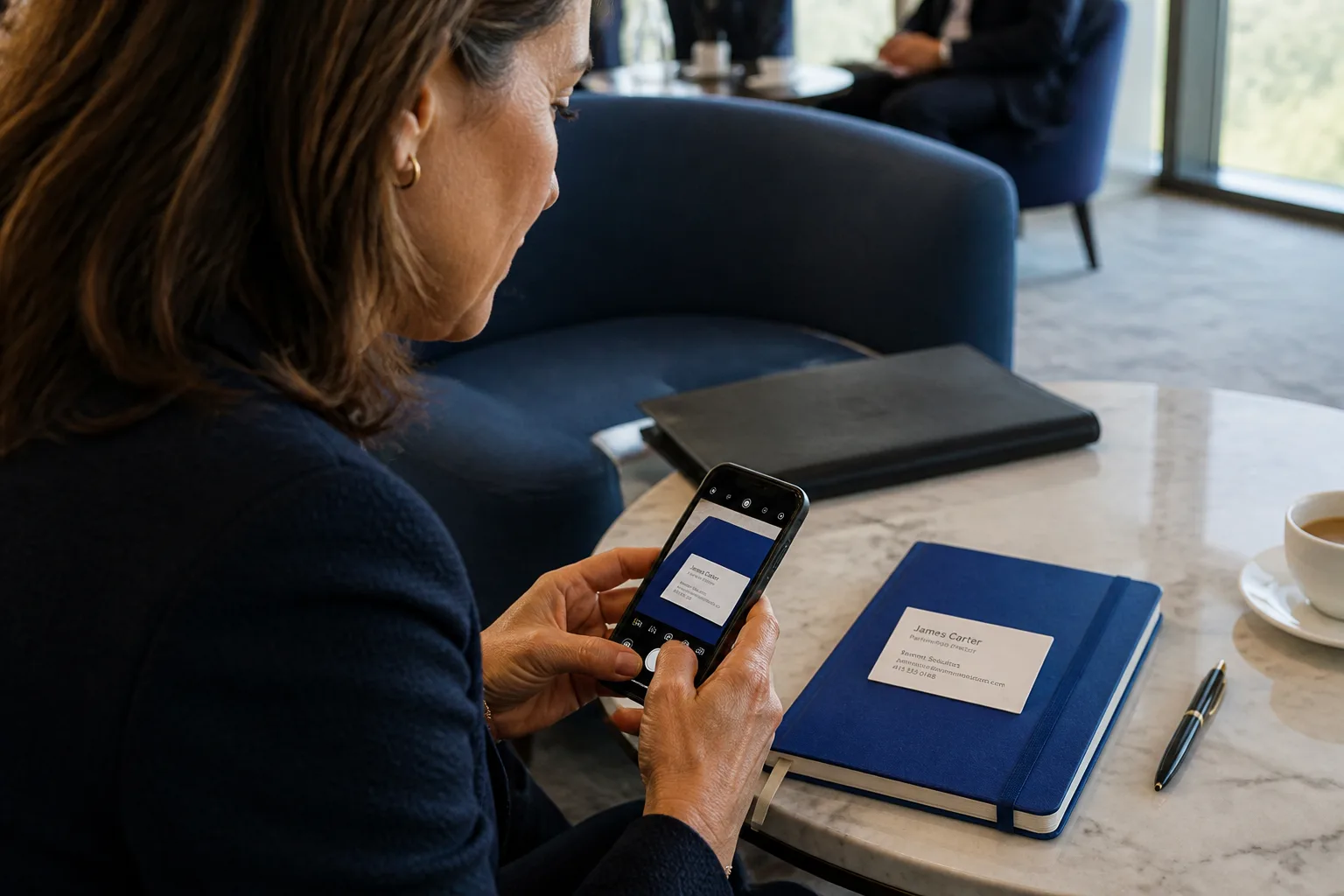
Your next input does not have to be text.
The useful detail rarely arrives neatly typed. Tell Lingo what just happened, photograph a business card, share a flyer or upload a document and carry on in the same conversation.
Ask what else should be remembered, correct a detail or turn the promise into a task. You can keep talking without repeating the whole introduction.
See what you can do ↗More than names.
More than notes.
People. With a next step.
Start with the context you want to remember. Add the tools you choose to connect. Use Lingo to prepare a message, make time, create a document or turn an idea into something worth sharing.
Explore all services
Choose the thing you want to move forward. Every service has its own story, real examples and a place to start.
Your people.
Your access.
Your decision.
Start without WhatsApp. Connect Gmail, Google Calendar or an allowed WordPress site when you need them. Choose the WhatsApp access mode that fits what you want Lingo to do.
Bruno supplies the tools behind the work. Lingo gives them a personal purpose: helping you understand your relationships and do something useful with that context.
Keep a copy of your information ↗
Make the next
connection count.
Start with one person, one promise or one thing you want to move forward.