


What you bring
Take a clear photograph of Alex’s business card. Add the sentence that matters: we discussed a community workshop and Alex knows a possible venue.
 Lingo Chats
That business card, the spreadsheet on your desktop, the person you met yesterday. Bring them into Lingo and turn scattered details into a relationship list you can actually use.
Start with Lingo ↗See a worked example ↓
A good introduction can disappear between a conference badge and a forgotten spreadsheet. Bring the details into Lingo while you still remember why you wanted to stay in touch. Your list becomes something you can ask questions about.
Take a clear photograph of Alex’s business card. Add the sentence that matters: we discussed a community workshop and Alex knows a possible venue.
The visible card details become a contact, with your supplied context alongside them. A spreadsheet can bring a larger existing list into the same conversation.
Search by person or organization. Ask who is connected to your project, then choose your own next introduction or message.
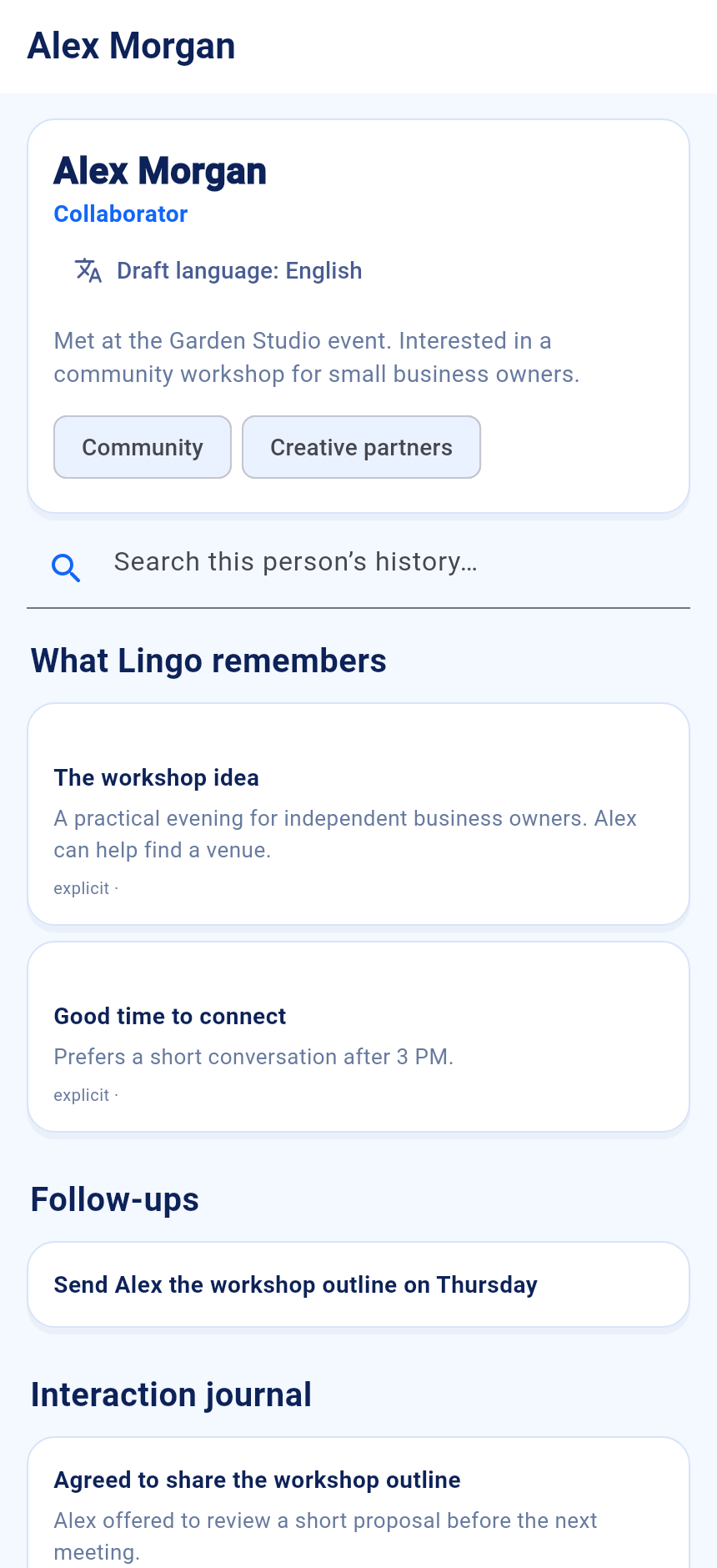
A pile of names is hard to use. A list with the reason you know each person can help you see who to reconnect with, who may share an interest and where a new conversation could start.
Conference attendees · Consultants and advisers · Anyone moving beyond a spreadsheet
✓Import contact rows from Excel and CSV
✓Read visible details from business cards
✓Search names and organizations
✓Add useful context to a contact
✓Explore possible connections using your own information
A real CSV with three fictional contacts. No personal customer information.
Upload your file or take a clear picture of a business card. Importing a contact never sends them a message.
Use the service from your Lingo account. For account access and any plan conditions, use the options shown in the app.
Open Lingo ↗Alex can help find the workshop venue. Send the outline before Thursday’s conversation.
Alex Morgan / Garden StudioThe fictional examples keep the person, the reason to reconnect and the commitment together. The app view shows a corresponding stage using its real interface.
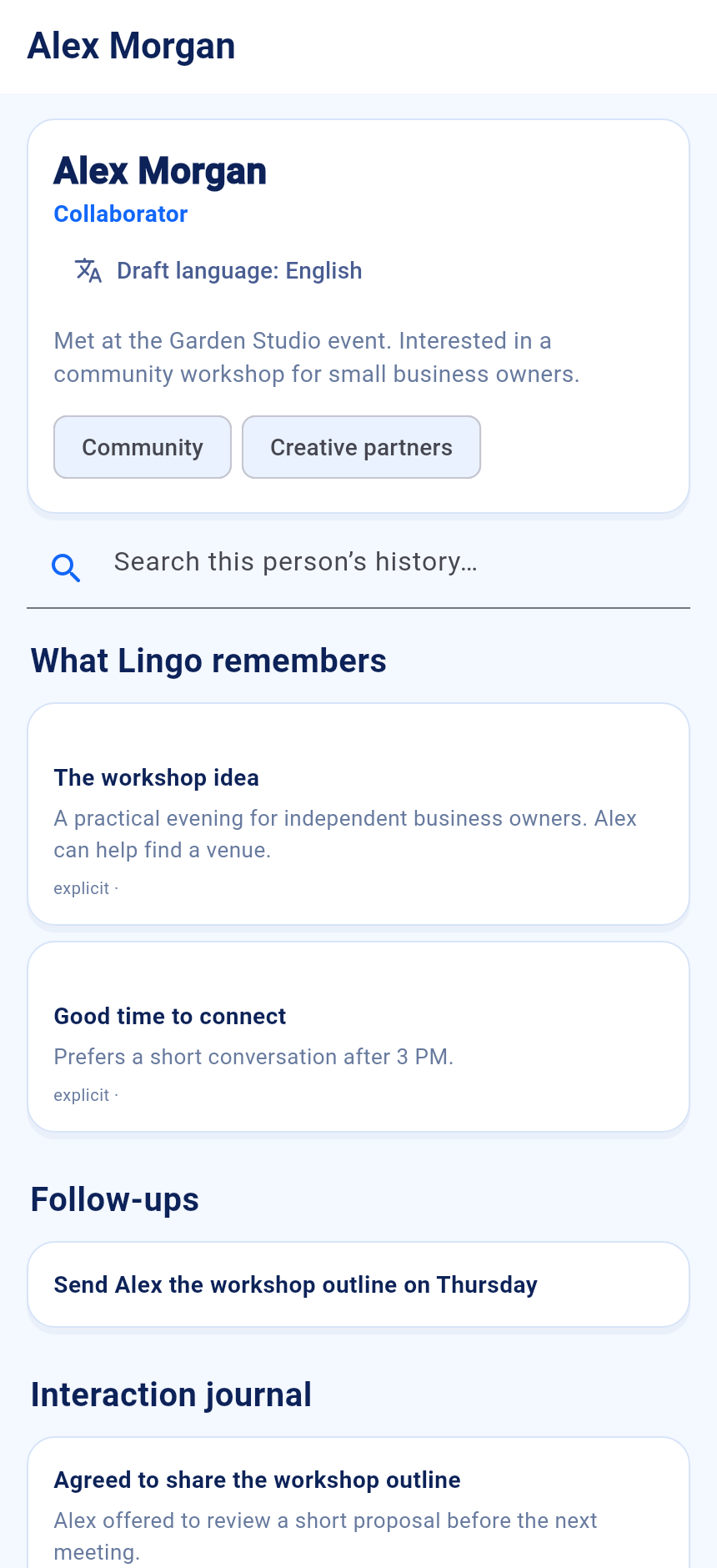
Yes. Local contacts and the information you supply work independently of WhatsApp.
Upload your file or take a clear picture of a business card. Importing a contact never sends them a message.
No. The interface examples use fictional sample data. Generated photographs are illustrative. The downloadable samples are provided so you can inspect the format and result.
Start with one person, one promise or one thing you want to move forward.