


What you bring
Photograph a business card after meeting Alex. Add a voice note explaining that you discussed a workshop and promised to send an outline.
 Lingo Chats
The useful detail rarely arrives neatly typed. Tell Lingo what just happened, photograph a business card, share a flyer or upload a document and carry on in the same conversation.
Start with Lingo ↗See a worked example ↓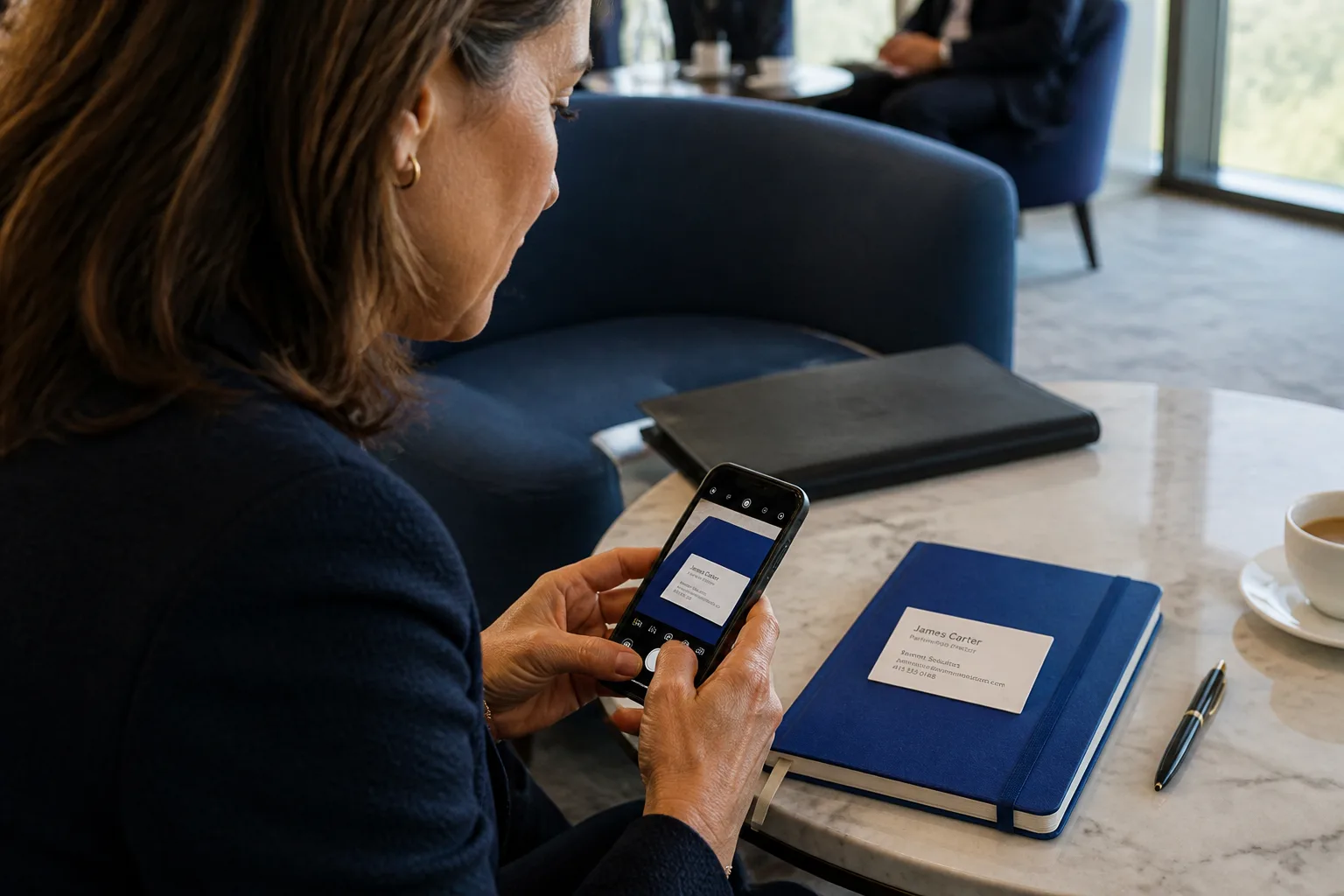
You have just left the conversation, found the business card or heard an idea worth remembering. Do not wait until you can sit down and type it perfectly. Bring the photo, voice or file into the conversation while the context is still yours.
Photograph a business card after meeting Alex. Add a voice note explaining that you discussed a workshop and promised to send an outline.
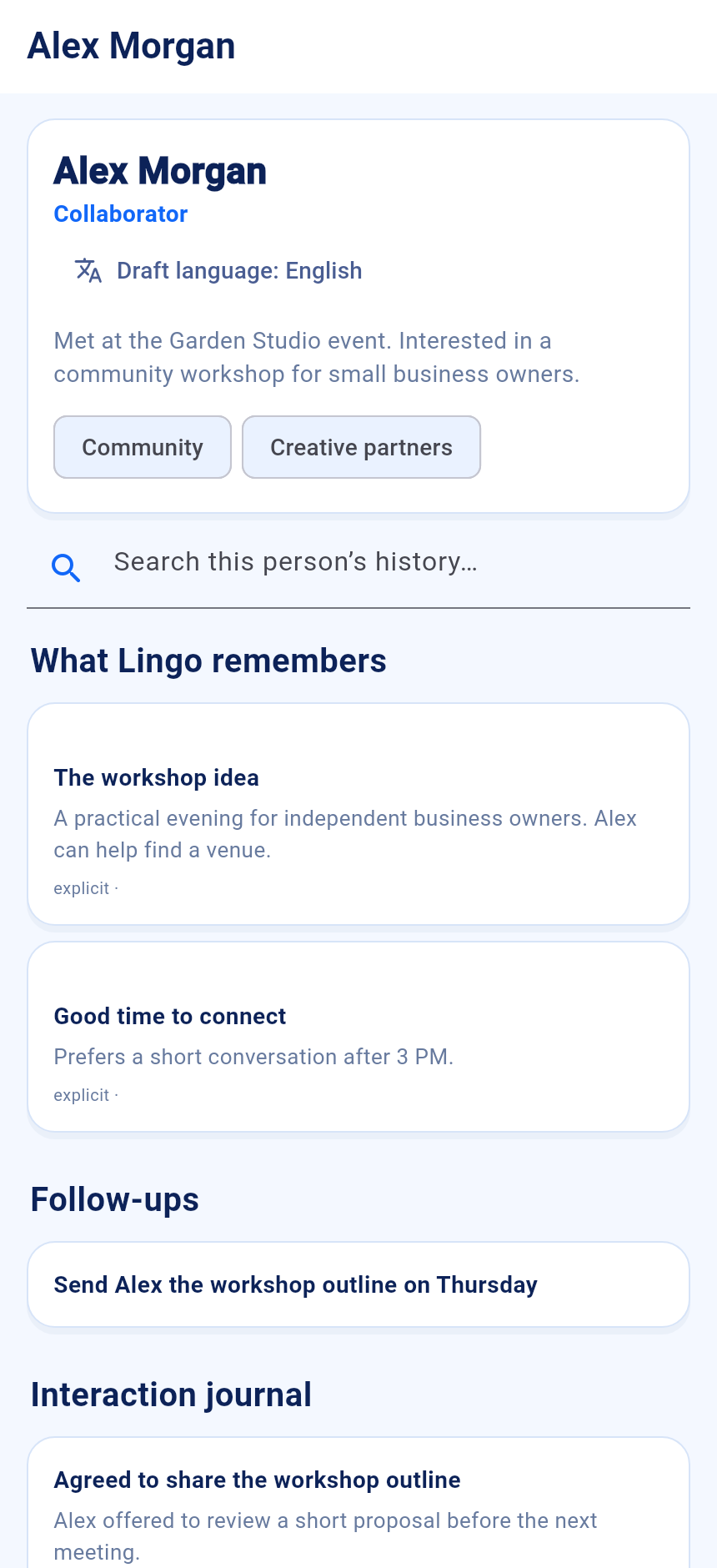
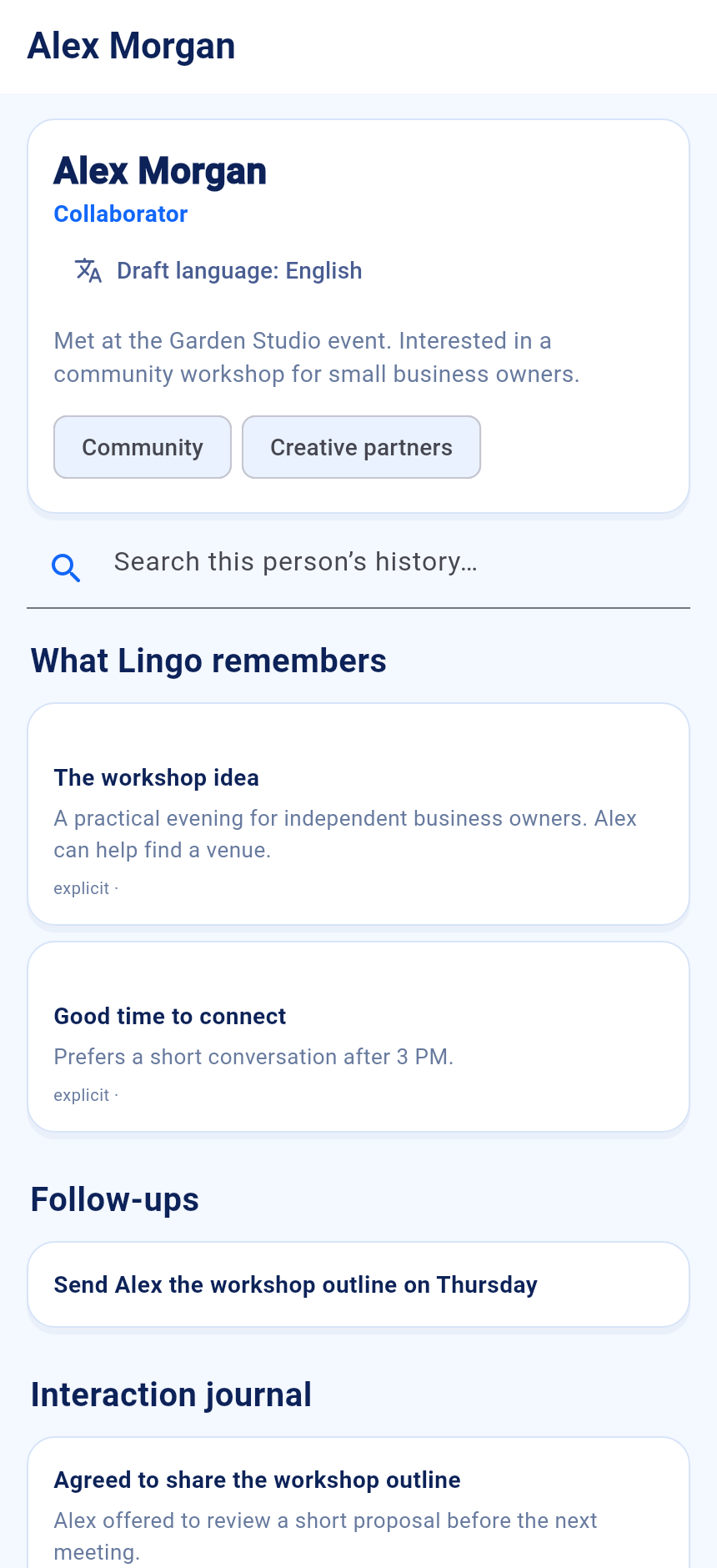
Lingo can read the visible contact details and work with the words you provide. The relationship view gives the resulting context somewhere useful to live.
Ask what else should be remembered, correct a detail or turn the promise into a task. You can keep talking without repeating the whole introduction.
A flyer can begin an attendance proposal. A spreadsheet can begin a contact import. A document can become something you question and explore. Give the attachment a purpose, and keep your instructions alongside it.
People who think aloud · Event and conference visitors · Anyone with information on paper
✓Speak instead of typing
✓Take or attach multiple photos
✓Read a business card into a contact
✓Discuss a flyer or document
✓Read Excel and CSV information
Use the microphone, camera or attachment controls in the app. Device permissions are requested when needed.
Use the service from your Lingo account. For account access and any plan conditions, use the options shown in the app.
Open Lingo ↗Alex can help find the workshop venue. Send the outline before Thursday’s conversation.
Alex Morgan / Garden StudioThe fictional examples keep the person, the reason to reconnect and the commitment together. The app view shows a corresponding stage using its real interface.
No. Add a caption or your question so Lingo knows what you want to do with the image.
Use the microphone, camera or attachment controls in the app. Device permissions are requested when needed.
No. The interface examples use fictional sample data. Generated photographs are illustrative. The downloadable samples are provided so you can inspect the format and result.
Start with one person, one promise or one thing you want to move forward.